Aseprite主题文档
搬的官方的主题文件说明:Aseprite - Docs - Extensions - Themes
主题可以更改Aseprite的UI的样式和外观,在这里aseprite/themes: List of themes created by Aseprite users就有一些比较有名的主题
主题扩展是一个.aseprite-extension格式的文件,这个文件实质是个压缩包,里面包含如下文件:
theme-example.aseprite-extension
|
+-- package.json
|
+-- theme.xml
|
+-- sheet.png
|
+-- sheet.aseprite-data
package.json文件的内容:
{
  "name": "your-theme",
  "displayName": "Your Theme",
  "description": "Your Theme",
  "version": "1.0",
  "author": { "name": "Your Name", "email": "your@email.com", "url": "http://your.website/" },
  "publisher": "aseprite",
  "license": "CC-BY-4.0",
  "categories": [
    "Themes"
  ],
  "contributes": {
    "themes": [
      { "id": "your-theme", "path": "." }
    ]
  }
}
这里指定的属性是一个目录(通常是这个文件所在的同一目录),并且这个目录必须包含如下文件:
"path" . package.json
theme.xmlsheet.pngsheet.asprite-data
(这里在说的啥。。没看懂)
theme.xml
这里是主体中最为复杂的文件,包含如下几个部分:
<?xml version="1.0" encoding="utf-8" ?>
<theme name="..." screenscaling="2" uiscaling="1">
  <authors>...</authors>
  <fonts>...</fonts>
  <dimensions>...</dimensions>
  <colors>...</colors>
  <parts>...</parts>
  <styles>...</styles>
</theme>
可以查看默认主题的theme.xml作为例子:aseprite/data/extensions/aseprite-theme/theme.xml at main · aseprite/aseprite
在理想情况下,Aseprite应该只使用元素,但由于我们从旧版本逐步迁移主题,因此Aseprite混合使用了代码中的<style>、<dmensions>、<color>、<parts>元素,而不是只使用<style>元素。或许将来可以只用这一个,但目前而言这些类型的元素都是必须的
<theme>
这个主要元素包含了三个属性:
<theme name="..."
       screenscaling="2"
       uiscaling="1">
</theme>
name displayName package.json这个属性只是用于识别主题,无论如何它都会被忽略,最终在UI中使用的值将来自package.json文件
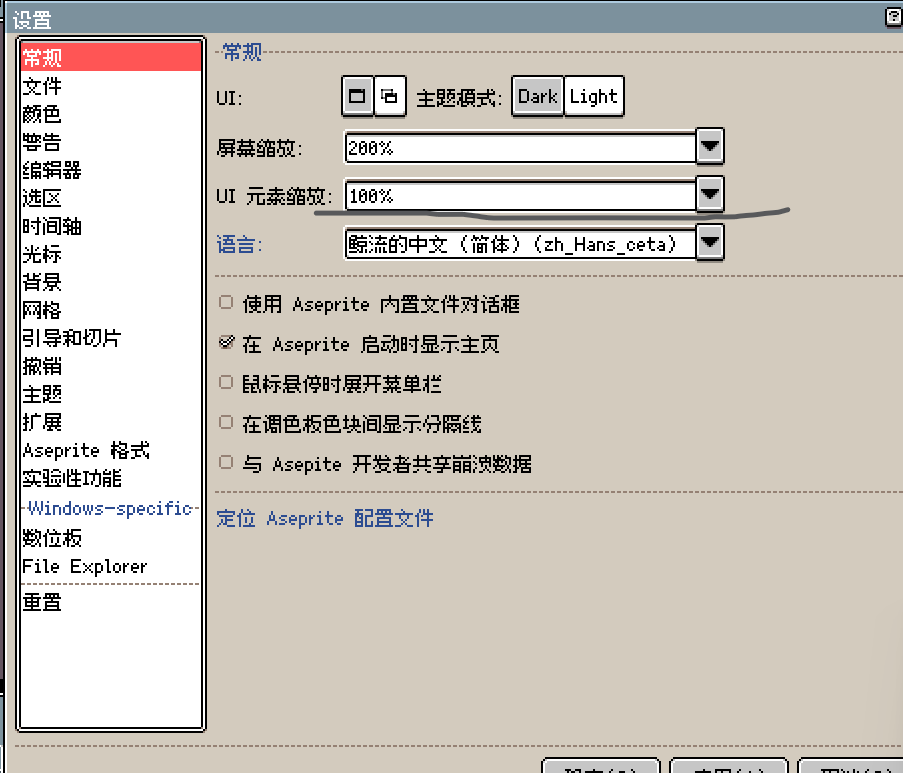
screenscaling="2" uiscaling它用于指定默认的屏幕缩放和ui缩放率,默认情况下为2和1
<authors>
用于标明主题作者的部分
<theme>
  <authors>
    <author name="Your Name" url="http://your.website/" />
  </authors>
</theme>
<fonts>
用于标明主题中使用的字体,需要指定两个字体:默认字体和迷你字体
<theme>
  <fonts>
    <font id="default" font="Aseprite" />
    <font id="mini" font="Aseprite Mini" />
  </fonts>
</theme>
Aseprite Aseprite Mini font="..." <font />``fonts.xml此处使用的字体在Aseprite中附带的默认font.xml文件aseprite/data/fonts/fonts.xml at main · aseprite/aseprite中定义,作为替代,无需在属性中指定预定义的字体,也可以在发布的文件中定义自己的元素
<dimensions>
<dimensions> <dim>这一部分包含了一组元素,为程序不同的dimension指定一组整数值(像素)
<theme>
  <dimensions>
    <dim id="..." value="integer value..." />
    <dim id="..." value="integer value..." />
    ...
  </dimensions>
</theme>
<color>
<colors> <color>这部分包含了一组元素,用于指定在UI中使用的颜色
<theme>
  <colors>
    <color id="..." value="#rrggbb" />
    <color id="..." value="#rrggbb" />
    ...
  </colors>
</theme>
<parts>
<theme>
  <parts>
    <part id="..." ... />
    <part id="..." ... />
    ...
  </parts>
</theme>
<styles>
<theme>
  <styles>
    <style id="...">...</style>
    <style id="...">...</style>
    ...
  </colors>
</theme>
Sheet.png
一个用于主题中各部分内容的精灵表,用于<part>中使用的元素
<theme>
  <parts>
     <part ... />
     ....
  </parts>
</theme>
sheet.aseprite-data
这是Aseprite使用的辅助文件,如果识别了这个文件,就会为每个主题部分创建一个切片(同样从aseprite保存时,主题部分也会保持与切片同步):sheet.png sheet.aseprite-data theme.xml sheet.png
<?xml version="1.0" encoding="utf-8"?>
<sprite>
  <slices theme="theme.xml" />
</sprite>